1. What is EZer
1.1 EZer shows the profit of each project
Section titled “1.1 EZer shows the profit of each project”EZer tracks profit and loss project by project. Every income and cost amount lives under a project, so you see the profit of each job at once. You do not recalculate it in a spreadsheet.
The figures come from the documents you make. When you issue a sales document or upload an expense bill, EZer files the figures under that job’s project for you.
How it works in three steps
Section titled “How it works in three steps”- Record. Write a sales document, or send in a photo of an expense bill, through LINE or on the web. EZer helps read the bill.
- See the profit. Every amount lands in its own project. You read profit and loss on the dashboard and on the project page.
- Hand over. When the books are due, you press “Lock” (ล็อก) on the documents that are ready, and your accountant opens the same data in EZer. The button only marks and locks the document. It sends no file to anyone.
1.2 What you can do
Section titled “1.2 What you can do”On the income side
Section titled “On the income side”You can issue quotations, invoices, receipts and tax invoices, and credit or debit notes. Each document continues from the one before it, so you do not retype the figures.
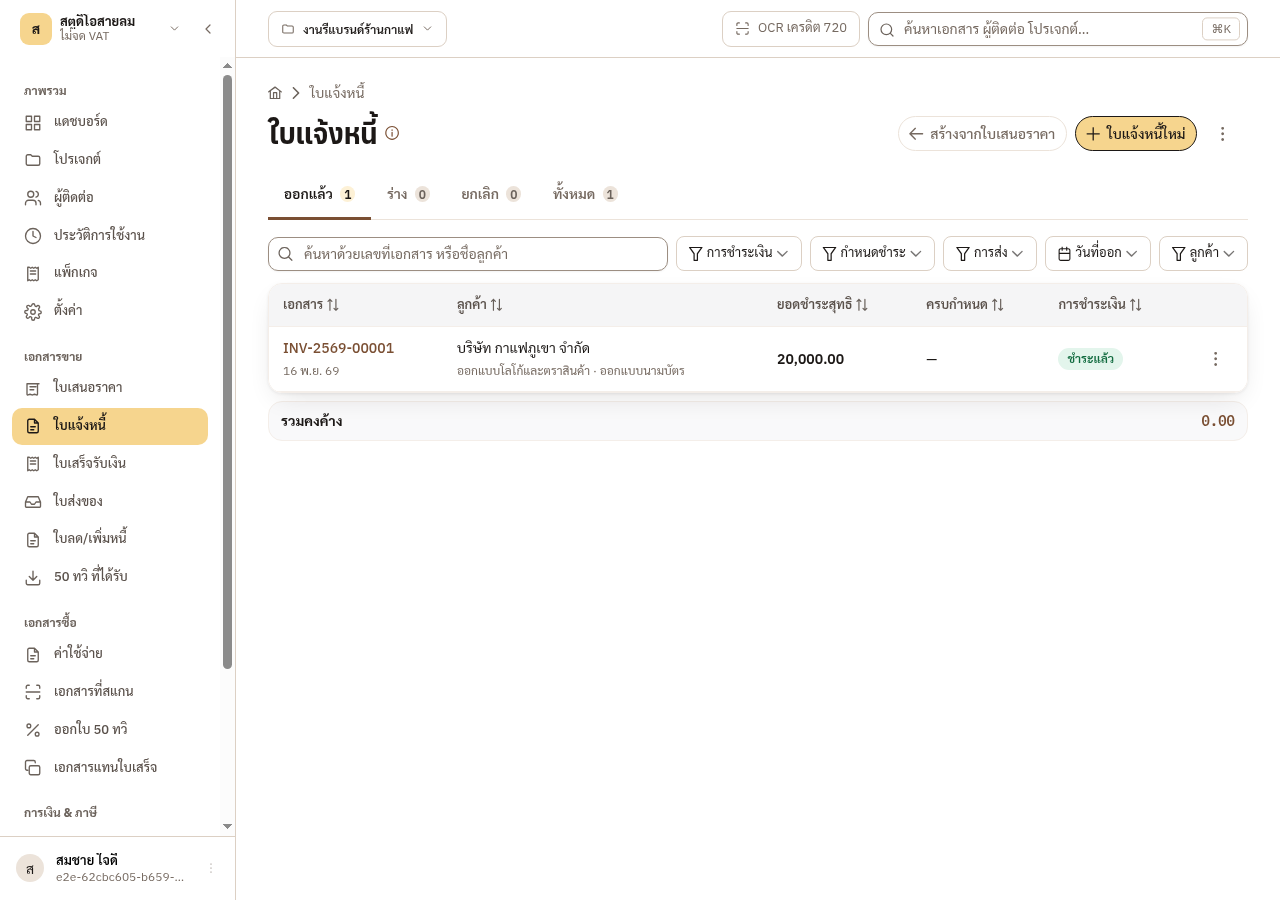
Figure 1-1: The invoice turns to paid on its own once you issue the receipt from it.
On the cost side
Section titled “On the cost side”You record cost bills under expenses (ค่าใช้จ่าย). Input VAT and withholding tax go in the same form, and EZer works out what you actually pay.
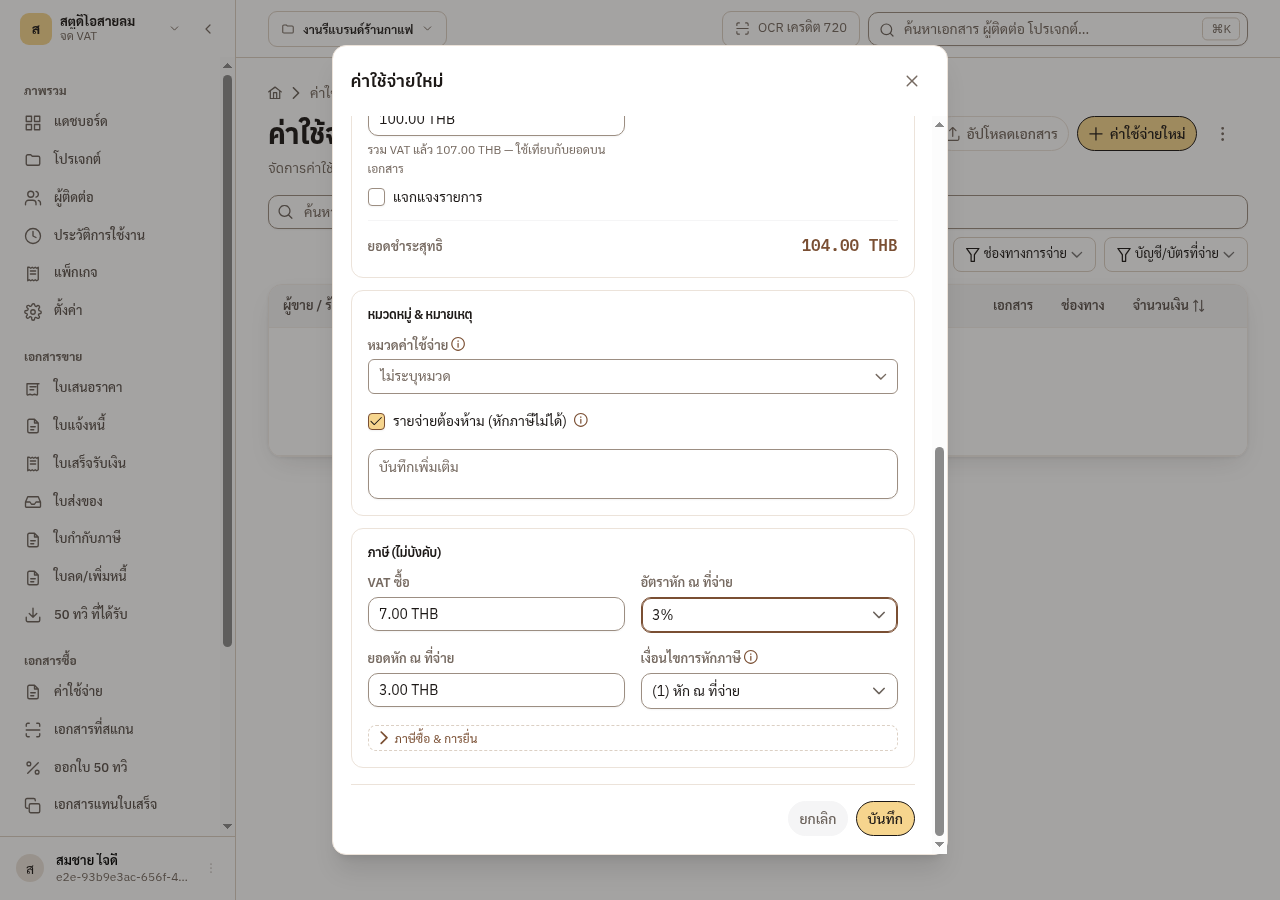
Figure 1-2: Input VAT and withholding tax go in the same form, and EZer works out what you actually pay.
When the other side gives you no document, EZer helps you prepare a receipt substitute (ใบแทนใบเสร็จรับเงิน) or a payment voucher (ใบสำคัญรับเงิน) as evidence of the cost. Use it only when the payment really happened, and keep the payment slip. A false document is a criminal offence.
Where to read more
Section titled “Where to read more”This chapter gives the overview only. The details are in these chapters.
Splitting a job with your team
1.3 Why every figure belongs to a project
Section titled “1.3 Why every figure belongs to a project”All financial figures in EZer live under a project. That is how you know what each job earned or lost, instead of seeing one total for the whole business.
The provider and your contacts
Section titled “The provider and your contacts”The provider (ผู้ให้บริการ) is your business. Under settings (ตั้งค่า) it holds identity only: business name, 13-digit tax ID, registered address, VAT status and logo. It holds no financial figures.
The contacts (ผู้ติดต่อ) menu is one directory of clients and vendors that every project can use. You do not retype a counterparty’s tax details for each new job.
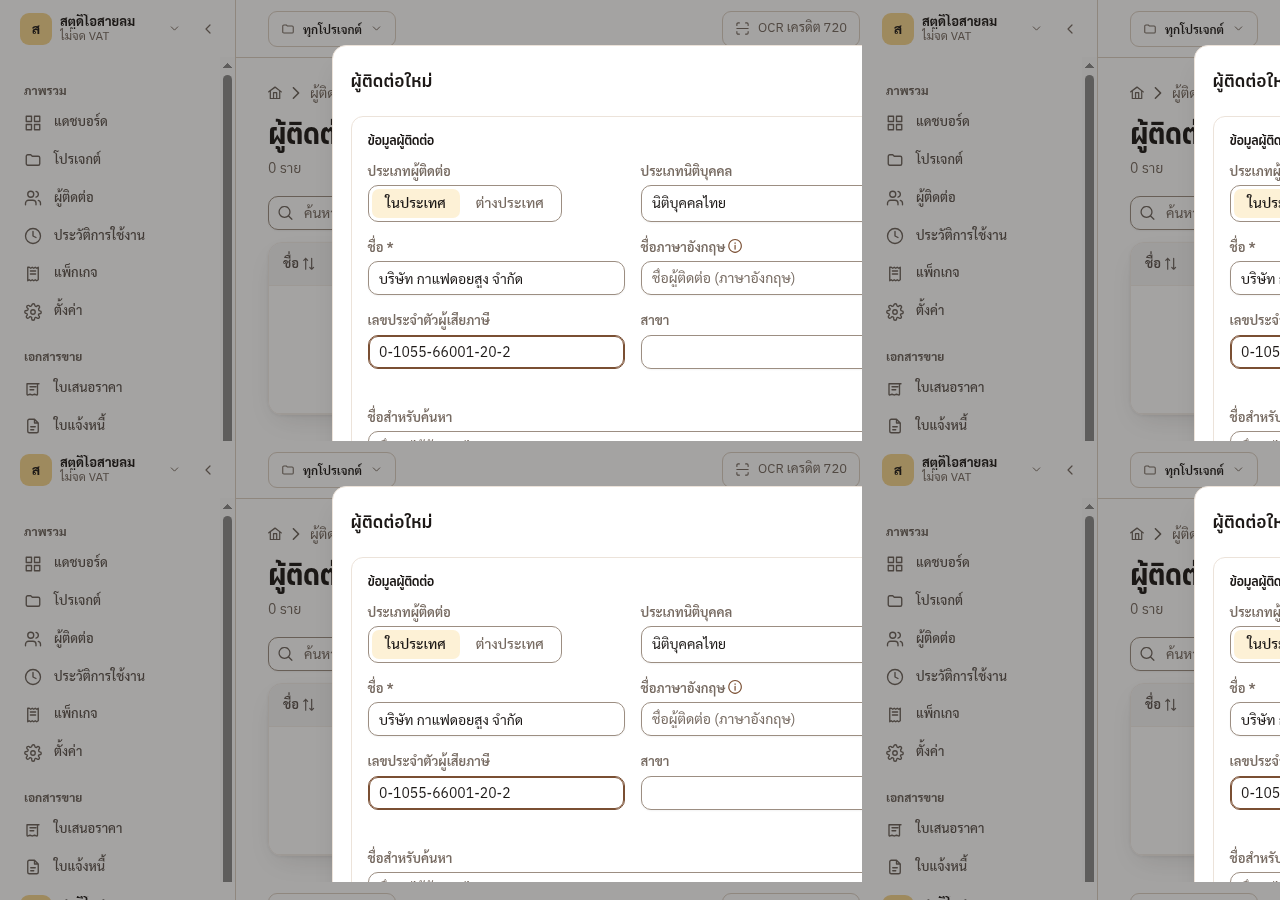
Figure 1-3: Enter a contact once and every project can use it.
1.4 Documents are how the data gets in
Section titled “1.4 Documents are how the data gets in”Documents in EZer turn your transactions into figures you can trace back. Amounts from sales documents, expenses, petty cash and advances (เงินสดย่อยและเงินทดรองจ่าย) and assets (ทรัพย์สิน) feed the profit and loss (กำไร–ขาดทุน) report of their own project.
The document register (ทะเบียนเอกสาร) gathers every kind of document in one place. You search it, check statuses and review the history of each entry there.
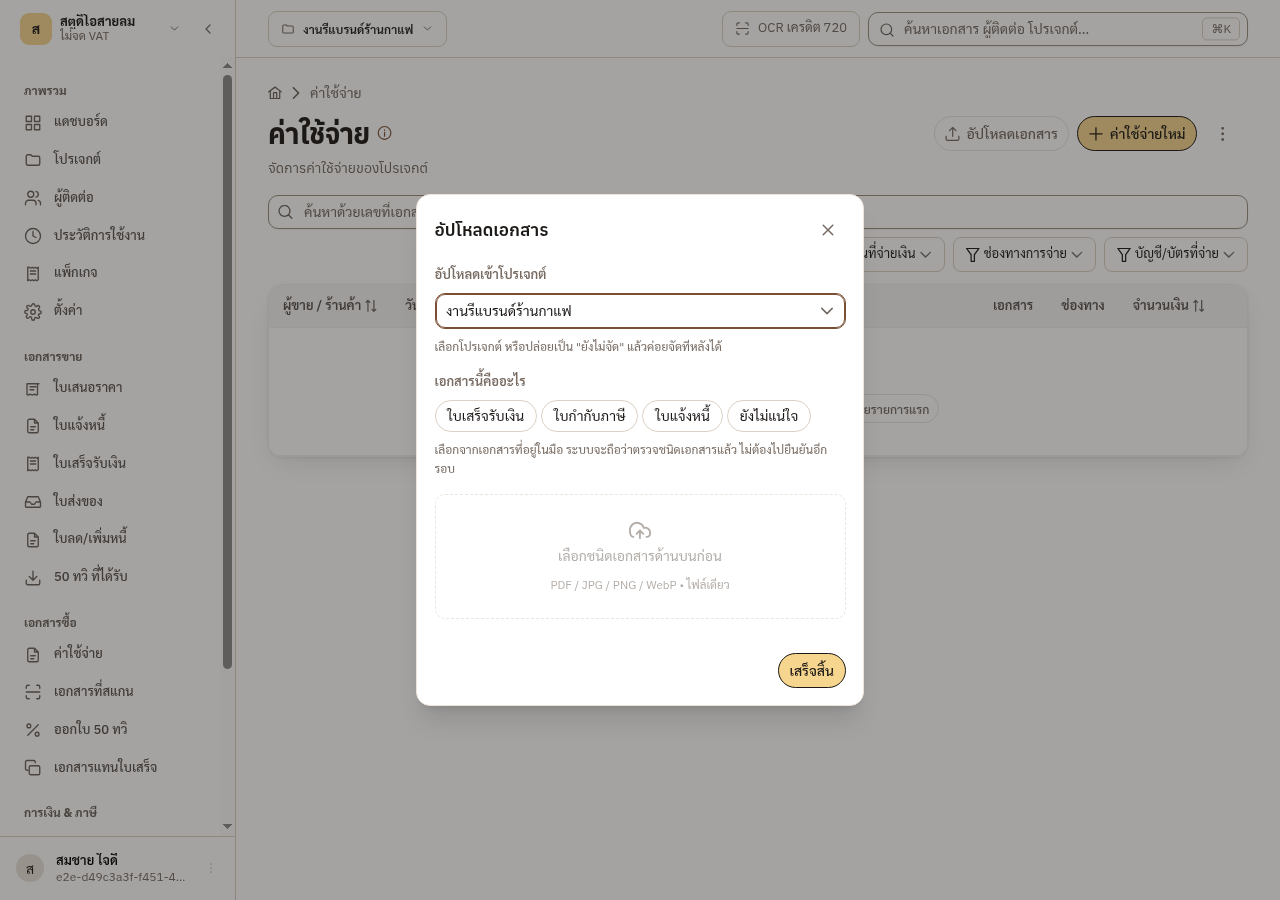
Figure 1-4: On upload EZer asks for the document kind first, so it files the figures in the right place.
1.5 EZer and your accountant
Section titled “1.5 EZer and your accountant”EZer is not accounting software and does not file taxes for you. It keeps single-entry figures so you can judge each project. It is not double-entry bookkeeping and not a statutory ledger. Its job is to organise your data and hand it on. Your accountant still keeps the books and files the returns.
The owner and the accountant can work on the same records. Each sees and edits what their role allows, and EZer keeps a history of every edit to a document.