11. Loans and owner capital
11.1 The two kinds of account
Section titled “11.1 The two kinds of account”A loan, and money an owner puts in or takes out, is neither an expense nor revenue. EZer keeps it on a page of its own, Loans and capital. The page holds accounts, and each account has a balance and a list of money in and out.
There are two kinds
- Loan account: one account per loan. Money in is the loan received, money out is principal repaid, and you pick the lender from your contacts.
- Owner account: money in is money the owner puts in, money out is money the owner takes out for personal use. Each owner has one account per project.
An account belongs to one project, as an expense does, so pick a project before you open the page. An account cannot move to another project. If you filed it in the wrong one, record it again in the right one.
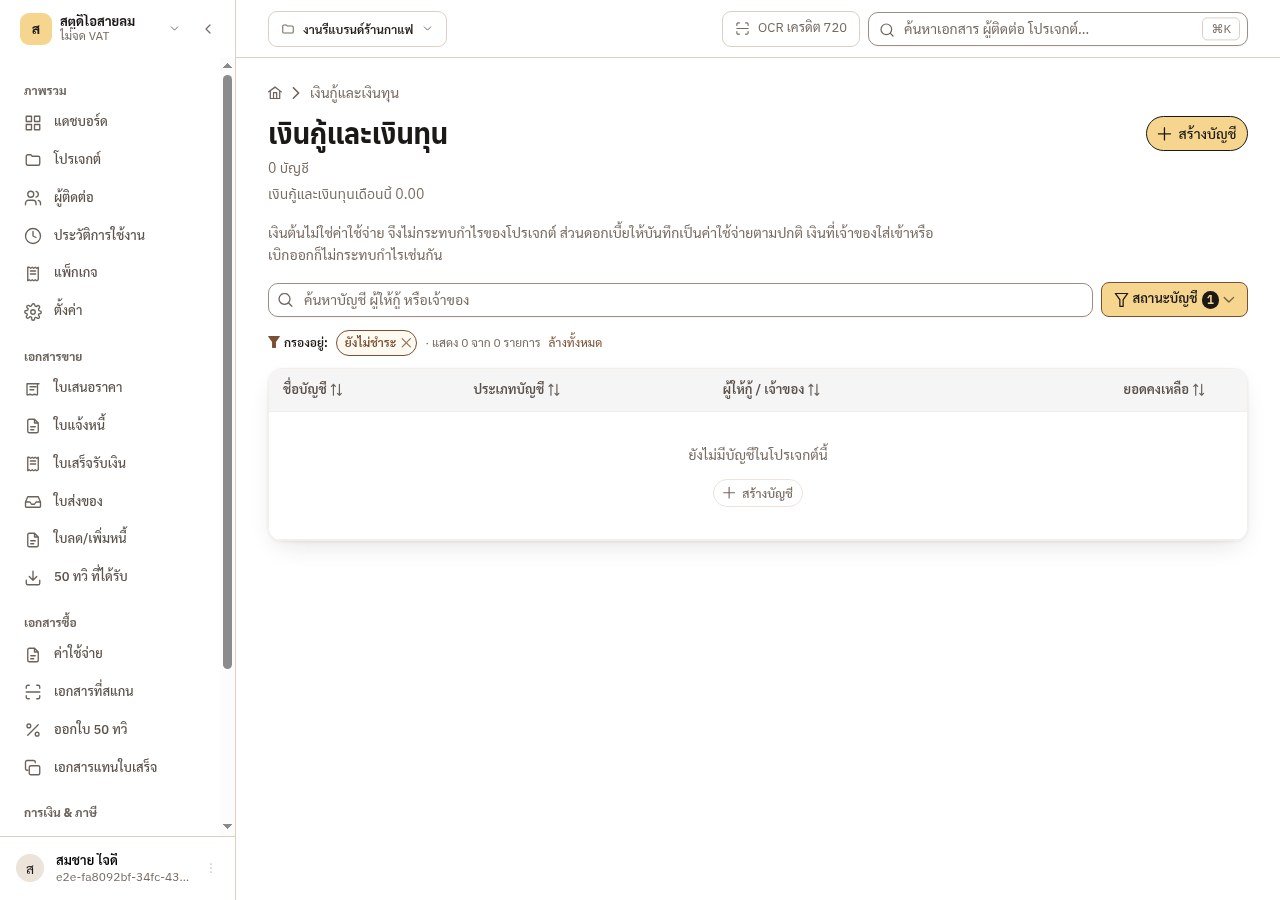
Figure 11-1: The loans page of a project with no account yet
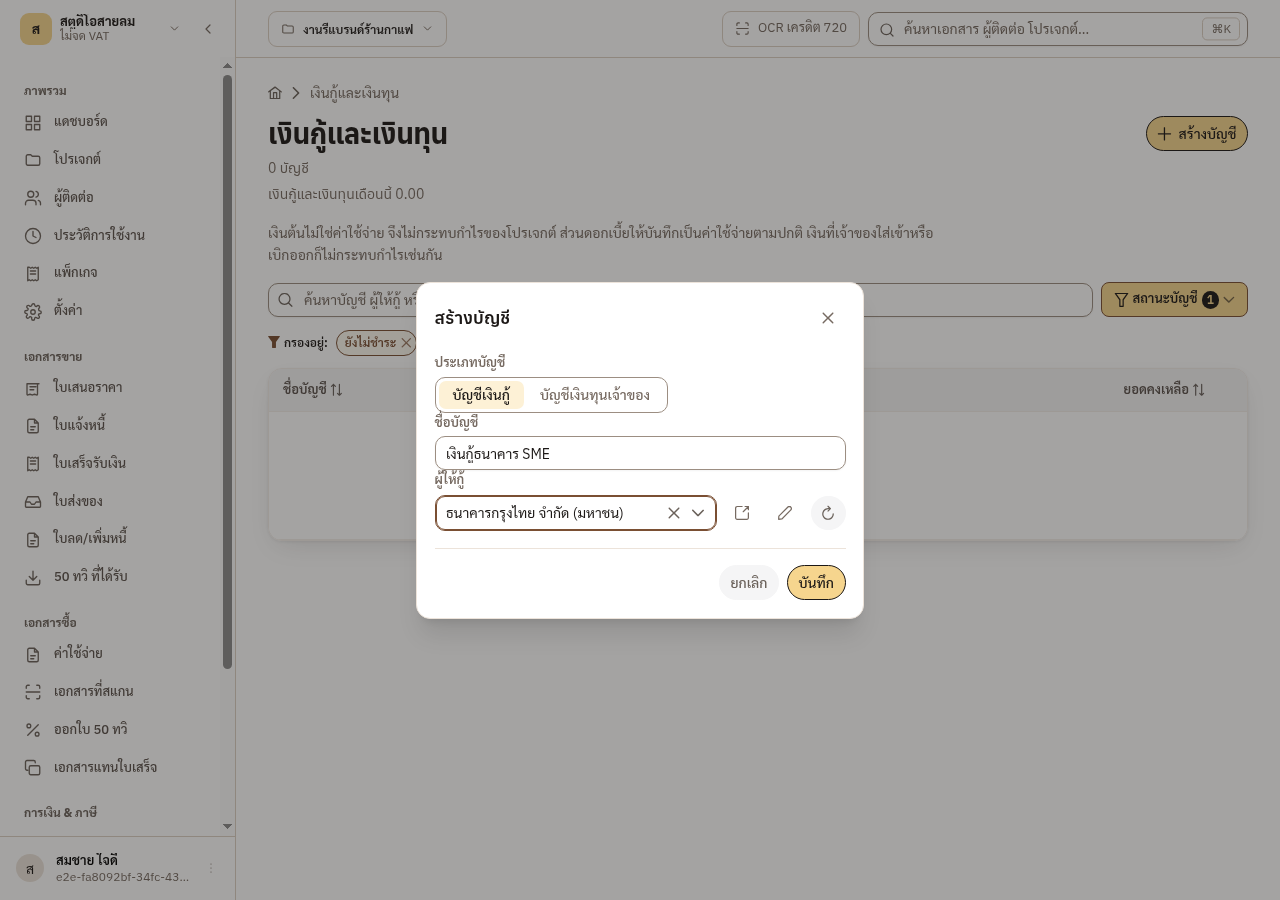
Figure 11-2: Creating a loan account and picking the lender
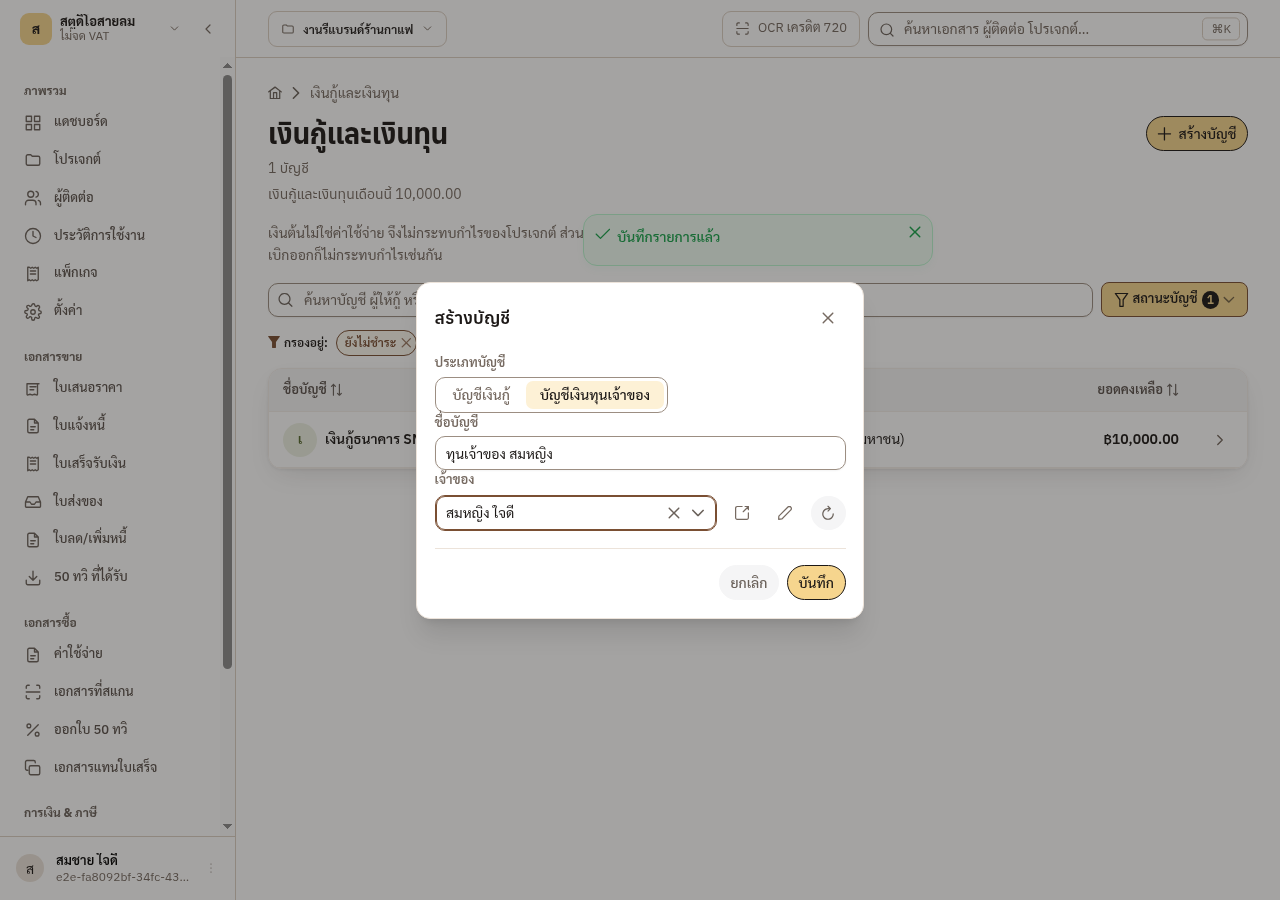
Figure 11-3: Creating an owner account and picking the owner
11.2 Interest is an expense, principal is not
Section titled “11.2 Interest is an expense, principal is not”Interest is a cost of the business. Record it as an ordinary expense, under an ordinary expense category. Principal is not a cost. Record it as money out on the loan account.
So one bank debit that holds both is two records. EZer does not split the debit for you. You enter both records by hand.
Example: in one month a project receives 30,000 baht from a customer and pays 10,000 baht of expenses. The bank debits 6,000 baht for the loan: 5,000 of principal and 1,000 of interest.
| Record | Recorded as | Profit | Cash |
|---|---|---|---|
| Interest, 1,000 | Expense | −1,000 | −1,000 |
| Principal, 5,000 | Money out on the loan account | No effect | −5,000 |
The month’s profit is 30,000 − 10,000 − 1,000 = 19,000 baht. The month’s cash is 30,000 − 10,000 − 1,000 − 5,000 = +14,000 baht. If you also booked the principal as an expense, the profit would read 5,000 baht too low.
A loan received, and money an owner puts in or takes out, also leave the profit alone, on both bases. They reach only the month’s cash, and they carry no VAT and no withholding tax.
When one loan funds several projects, record one interest expense in each project and type each amount yourself. EZer does not divide the interest.
11.3 The balance, and settled accounts
Section titled “11.3 The balance, and settled accounts”The balance is all the money in less all the money out. The system works it out each time you open the account. There is no field to type it in. Delete a movement and the balance is worked out again.
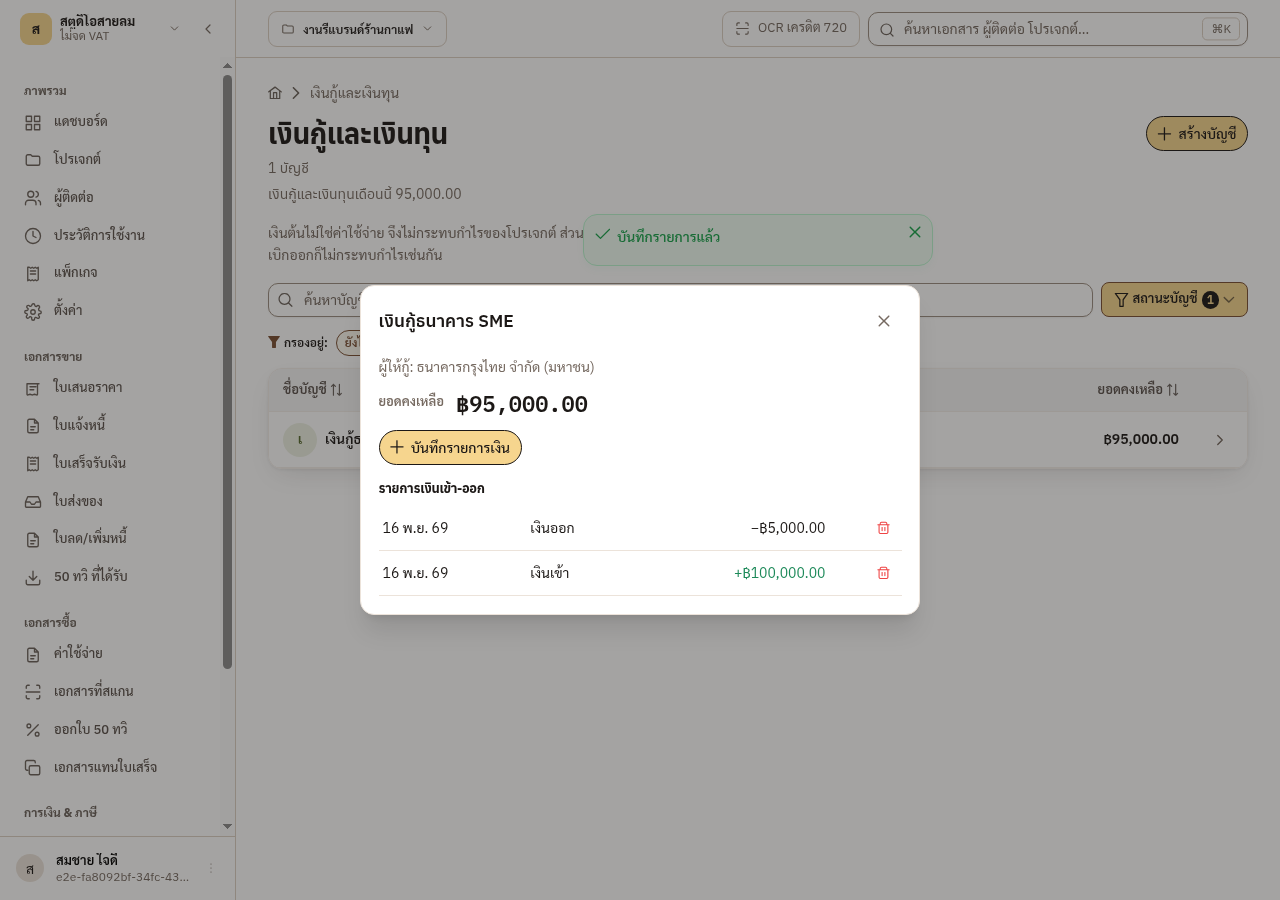
Figure 11-4: The loan balance after a repayment
An account that has movements and a balance of 0 counts as settled, and the list hides it by default. An account with no movement yet is not hidden. Use the Account status filter and pick Settled to see hidden accounts with their full history.
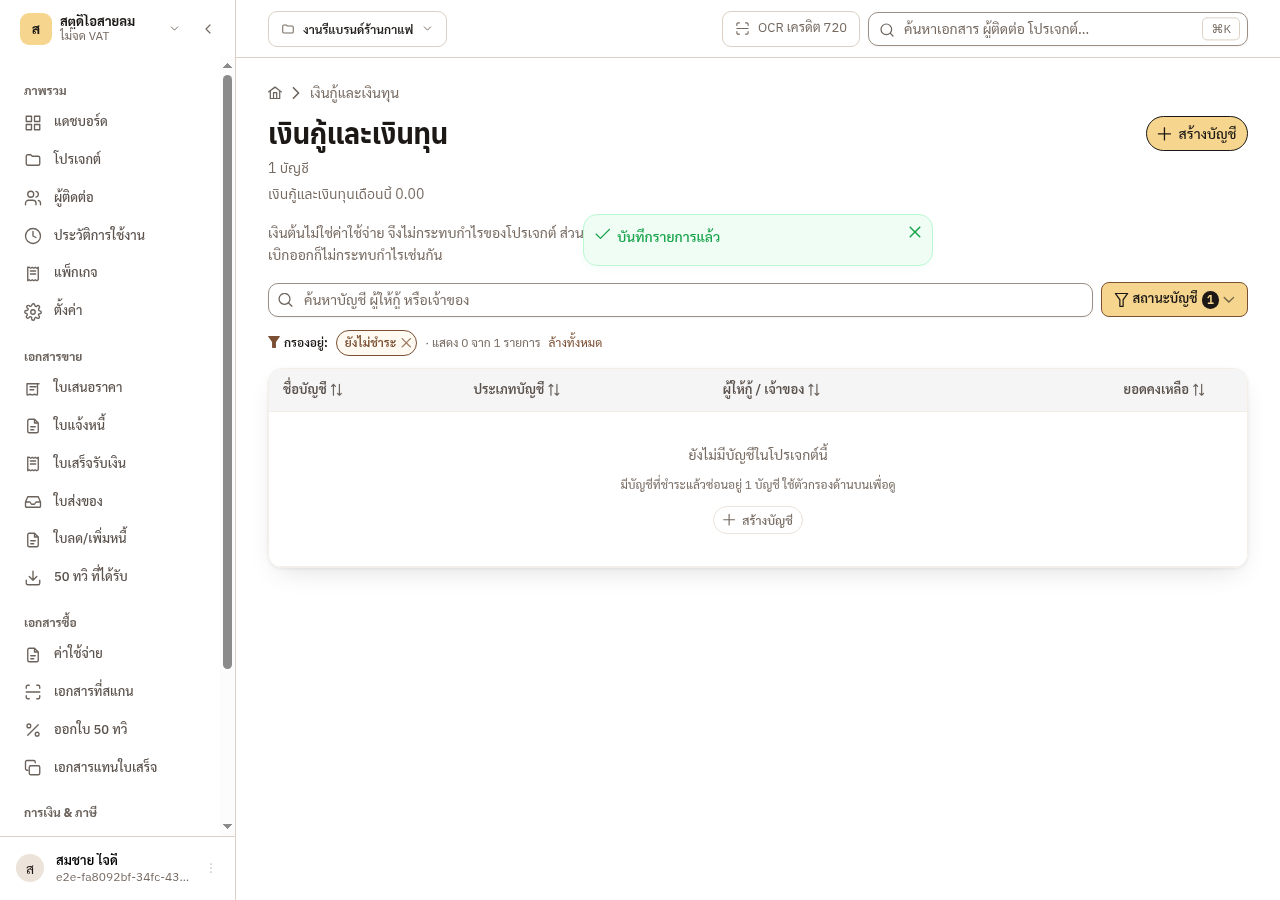
Figure 11-5: A fully repaid account leaves the list
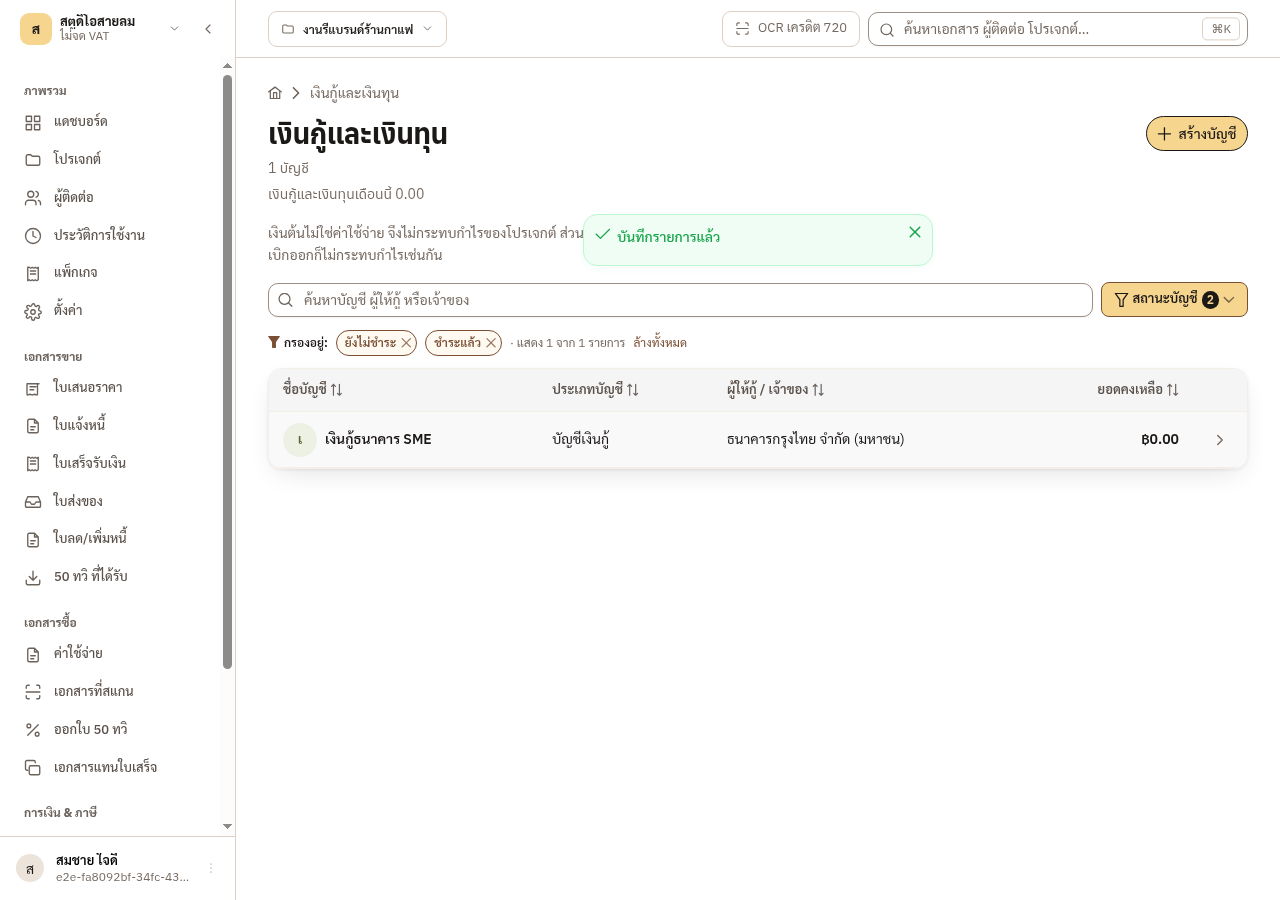
Figure 11-6: The filter shows the settled account again
When a new movement makes the balance not 0, the account shows again with no filter.
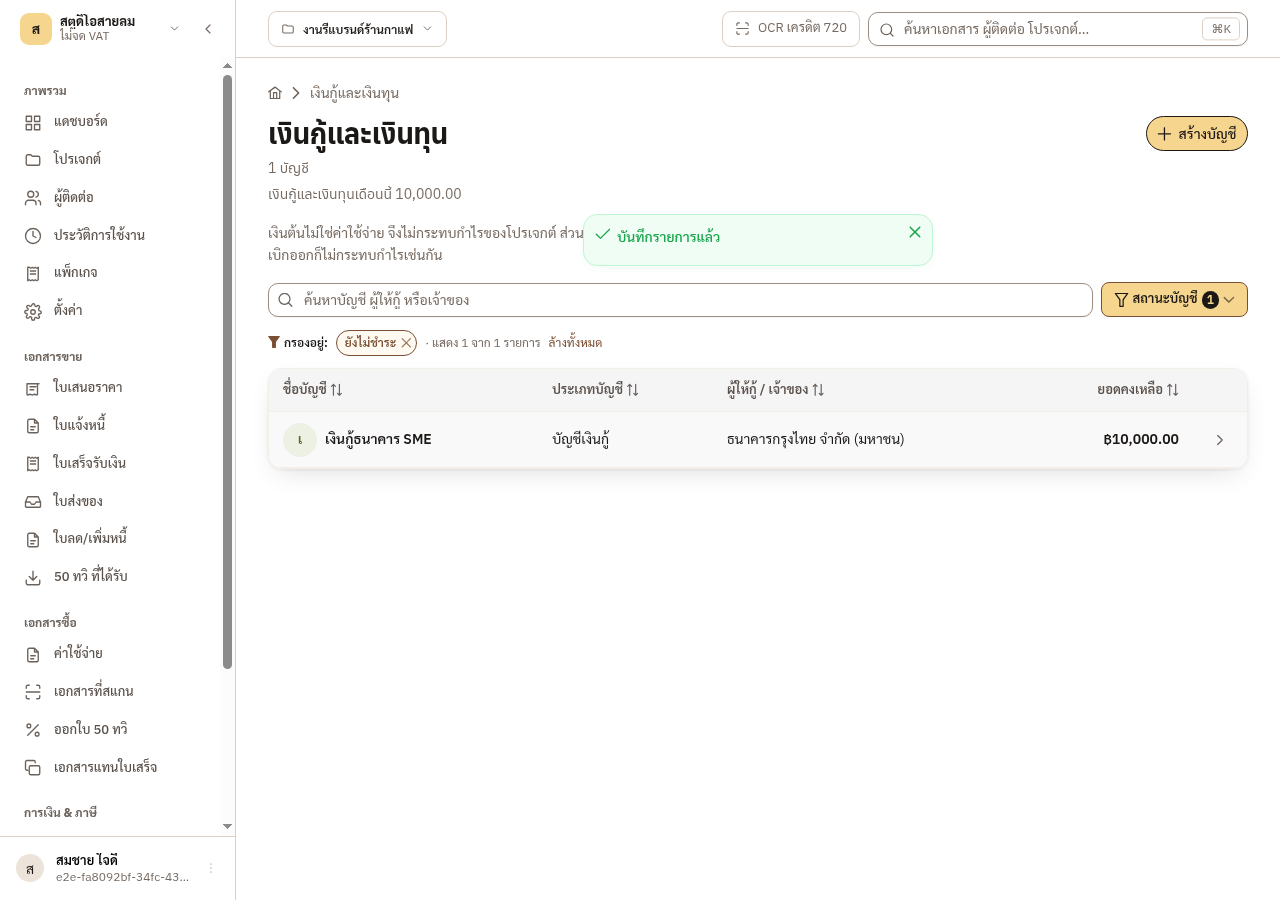
Figure 11-7: The account shows again after a new movement
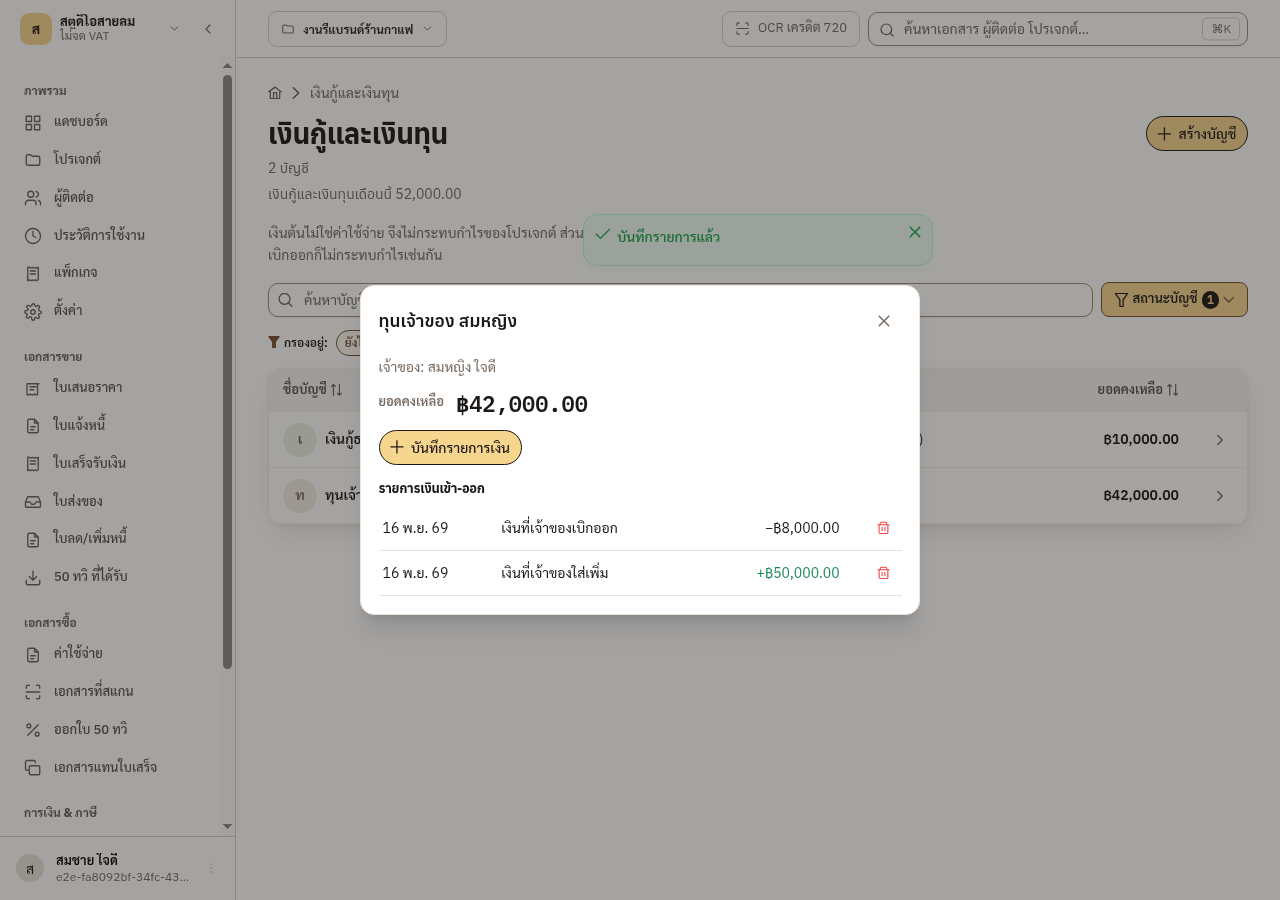
Figure 11-8: An owner account after the owner takes money out
11.4 The month lock, and how to unlock
Section titled “11.4 The month lock, and how to unlock”A movement follows the same month-close rule as an expense. Each movement has a locked mark. When a month closes, the system sets the mark on every movement in it.
A movement is locked when
- the month of its date is closed, and
- it is marked as locked.
A locked movement cannot be deleted, and you cannot add evidence to it. A person who may unlock it unlocks that movement first, and then it can be deleted or given evidence. A movement has no edit button: if you entered it wrong, delete it and record it again. A movement dated into a closed month arrives unlocked, so you can still add one you forgot, and delete it until you lock it.
The loans and capital figure on the dashboard is explained in the dashboard chapter.
see section 14.5: The two cash figures on the dashboard
Troubleshooting
Section titled “Troubleshooting”- Symptom: You cannot delete a movement
- Cause: The movement is locked: its month is closed and the movement itself is marked as locked.
- Fix: Ask a person who may unlock it to unlock that movement, then delete it again.
- Symptom: You cannot add evidence to a movement
- Cause: The movement is locked.
- Fix: Unlock the movement, then add the evidence.
- Symptom: A loan account is missing from the list
- Cause: The account is settled: it has movements and a balance of 0, so the list hides it.
- Fix: Use the Account status filter and pick Settled.
- Symptom: You entered a movement wrong
- Cause: A movement has no edit button.
- Fix: Delete the movement and record it again.